
Ever stared at a textbook for hours, only to realize none of it sticks—unless there are diagrams, charts, or color everywhere? If so, you’re probably a visual learner, and you’re not alone.
The struggle is real when notes turn into endless walls of plain text. It’s frustrating, exhausting, and makes you wonder if you’ll ever remember what matters come exam day. Trying to learn the ‘standard’ way can feel like running uphill in sand.
Here’s the thing: once you discover the right study techniques for visual learners, everything changes. You’ll walk away with new methods, real tips, and the confidence to tackle even the driest chapters. Ready to shake up your study routine? Let’s dive in.
What Makes Visual Learners Unique
Ever wonder why some people need to see things to truly understand, while others just ‘get it’ by listening? The world of learning is built for the average—but if you’re a visual learner, you already know that “average” doesn’t always fit.
Visual learners process and retain information best when it’s presented as images, diagrams, colors, maps, or charts. Words alone feel flat—bring in a flowchart or vivid color coding and suddenly, it all clicks. According to the VARK model, developed by educational researcher Neil Fleming and widely referenced by the Association for Supervision and Curriculum Development (ASCD), visual learners make up about 65% of the population.
💡 Pro Tip: When you’re stuck, turn information into a quick mind map or color-coded chart. Even the smallest visual can unlock your memory more effectively than rereading notes.
In practice: picture this scenario—Alex stares at three pages of blank text about world history, feeling lost in a word fog. But the minute he draws a timeline with colored eras and icons for battles, every event falls into place. Visual learners don’t just want images—they need them to organize thoughts and make sense of abstract concepts.
- Strengths: Fast pattern recognition, excellent spatial awareness, detail spotting.
- Challenges: Struggle with long verbal instructions, easily distracted by visual clutter, can miss key info hidden in text blocks.
| Learning Preference | Examples | What Works |
|---|---|---|
| Visual | Diagrams, color-coding, mind maps | Charts, annotated images, graphic organizers |
| Auditory | Lectures, podcasts, discussions | Recorded explanations, Q&A sessions |
| Kinesthetic | Hands-on experiments, building models | Physical activities, demonstrations |
But—and it’s a big one—most classes are still taught with a heavy focus on words, leaving visual learners at a disadvantage. The right strategies can flip that around completely… What actually works might surprise you…
Proven Study Methods That Engage Your Visual Brain
What if simply changing how you study could make things finally stick? For visual learners, the answer isn’t just more highlighting—it’s using concrete visual strategies designed for your brain.
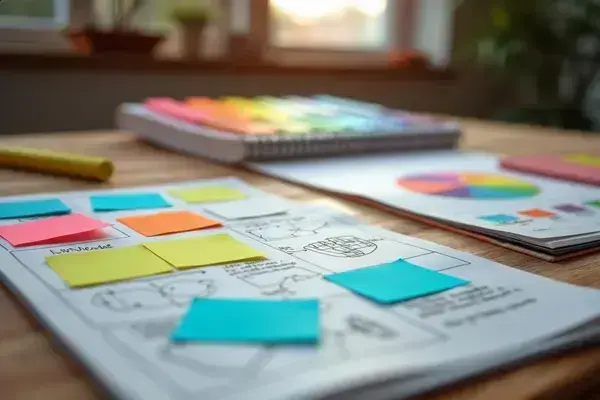
- Color Code Everything: Assign specific colors to major topics, details, or themes. Use highlighters, colored sticky notes, or markers so each idea ‘lives’ in its own hue.
- Make Mind Maps: Turn chapter summaries, lectures, or to-do lists into visual webs of information. Mind maps show how ideas connect, giving you a literal big picture.
- Create Visual Timelines: For anything chronological—history, processes, even textbook readings—sketch out linear timelines with icons or simple doodles for key events.
- Use Charts and Diagrams: Transform data into bar graphs, Venn diagrams, or flowcharts. The act of drawing instantly locks meaning in your memory.
- Employ Visual Analogies: Illustrate tough concepts by comparing them to familiar images or scenes. If photosynthesis confuses you, sketch it as a factory assembly line!
💡 Pro Tip: Don’t just copy someone else’s diagrams. Drawing or designing visuals yourself, even if they’re messy, wires your brain for faster recall. The Learning Center at the University of North Carolina backs this up: active visual creation is proven to deepen understanding.
In practice: you’re prepping for a big exam and your notes feel overwhelming. Instead of re-reading, you turn key ideas into a series of icons—one image per concept. Later, during the test, those icons pop into your mind, guiding you to the right answer. Visual learners thrive with these creative tools because they blend memory with meaning, making studying less of a chore and more like doodling in a sketchbook.
- Bonus methods: sticky notes for quick reminders, graphic organizers for essay planning, and color-coded calendars for homework tracking.
But there’s one crucial step most visual learners skip that can make all these methods work even better…
How To Organize Notes And Materials Visually
Is your backpack overflowing with random papers, or do your digital files look like a maze? Organizing your study notes visually isn’t just about being neat—it’s about creating a powerful retrieval system that works with your brain, not against it.
- Pick a Visual System: Decide if you’ll go analog (binders, color tabs) or digital (apps with icons, folders).
- Color-Code by Topic: Assign colors to each subject. Highlights, sticky notes, and folder labels all work. It cues your brain where to look instantly.
- Use Graphic Organizers: Mind maps, flowcharts, tables—anything that lays out info spatially boosts recall.
- Digitize and Sync: Scan key pages or take snapshots. Tools like Evernote and Microsoft OneNote let you add images, doodles, and digital tags for easy searching.
- Summarize With Visual Cues: Sketch small icons, draw arrows or borders to flag crucial info.
💡 Pro Tip: Don’t let your visual system get cluttered. Once per week, take five minutes to clean out, rearrange, or consolidate. The Learning Scientists (funded by the James S. McDonnell Foundation) recommend short, regular organizing sessions to maintain high efficiency and lower stress.
Picture this scenario: Maya, a high school junior, has piles of worksheets from chemistry class. She buys a set of transparent folders—one for each unit, each with its own color. Her notes use sticky flags to link to diagrams, and a mind map sits up front as a chapter overview. During finals, she finds what she needs in seconds, while everyone else scrambles.
- Tabbed folders for rapid sorting
- Translucent sticky notes for adding diagrams
- Apps like GoodNotes or Notability for digital sketching
| Tool | Best For | Pro or Con |
|---|---|---|
| Color Binders | Paper handouts, dividers | Physical access, but bulkier |
| OneNote | Multi-device digital notes | Great for searching, but needs device |
| Sticky Notes | Quick reminders, highlights | Immediate use, but can clutter |
And this is exactly where most people make the most common mistake: waiting until it’s too late to organize, instead of building a visual system from day one…
Creative Tools And Resources Worth Trying
Ever felt like the right tool could make studying not just easier, but actually satisfying? Visual learners thrive when their materials feel interactive, colorful, and customizable—so let’s dig into the tools that genuinely transform how you learn.
- GoodNotes (Time Base Technology): This iOS and Mac notebook app lets you sketch diagrams, import textbook pages, and build folders by subject. The pen tools and highlighter options make layering colors totally intuitive.
- Canva (Canva Pty Ltd): On Web, iOS, and Android, Canva’s templates turn white pages into stunning mind maps, infographics, and flowcharts in minutes. Drag and drop icons, colors, and shapes—no graphic design degree needed.
- Post-it Super Sticky Notes (3M): Sometimes, low-tech wins. Use vibrant Post-its for labeling key facts, mapping out essay ideas on your wall, or color-coding concepts you need to memorize.
💡 Pro Tip: Switching between digital and paper-based tools can boost recall. According to the International Society for Technology in Education (ISTE), activating different senses while studying cements knowledge more deeply.
In practice: Picture this scenario—Jaden builds a biology concept map on Canva, prints it out, and scratches in annotations with colored gel pens. During review, he uses GoodNotes on his iPad to zoom in on subtopics, circling confusing terms. He covers his wall in Post-its with visuals and definitions, rearranging them until every concept feels locked in.
| Tool | Best Use | Platform / Cost |
|---|---|---|
| GoodNotes | Handwritten diagrams, digital notebooks | iOS/Mac, paid |
| Canva | Visual planning, infographics | Web/iOS/Android, freemium |
| Post-it Notes | Idea mapping, wall reviews | Paper, varies |
But there’s a mistake almost every visual learner makes: thinking more tools equals better results. The truth is, it’s less about what you use—more about how you use them, and how consistently you experiment and refine…
Mistakes Visual Learners Should Avoid
Ever feel like you’re doing all the “right” things—color-coding, doodling, making charts—yet still come up short on tests or projects? Here’s the thing: even the best visual learners trip up when they don’t avoid a few classic pitfalls.
- Overdecorating: Adding every sticker, highlighter, and color can be distracting, not helpful. Too much clutter makes it tough to spot what matters most.
- Ignoring Text Details: Relying on visuals is great, but skipping written instructions or missing fine print in questions can backfire—especially on exams.
- Passive Drawing: Just copying diagrams or charts without engaging doesn’t cement knowledge. You have to build your own visuals, make connections, and regularly review.
- Procrastinating Organization: Waiting to organize your notes until the night before an exam? That’s when disorganized folders and digital chaos turn a study session into a stress spiral.
- Using Tools as a Crutch: Sometimes, switching apps and methods becomes the focus, but it’s better to stick with tools that actually support your process instead of chasing new shiny platforms.
⚠️ Important Warning: Don’t let visuals replace true mastery. According to the National Center for Learning Disabilities, effective studying blends your favorite visual strategies with consistent self-testing and practice—no shortcut will ever replace that honest work.
In practice: Picture this scenario—Charlie spends two hours perfecting a gorgeous mind map but skips doing actual practice problems for math class. On test day, the concepts look familiar, but he freezes when it’s time to solve real equations. The lesson? Visual tools support learning; they aren’t the finish line.
| Mistake | Why It’s Harmful | How To Fix |
|---|---|---|
| Decorating over learning | Wastes time, dilutes focus | Limit colors and simplify visuals |
| Skipping practice | Leads to shallow knowledge | Combine visuals with review quizzes |
| Staying disorganized | Increases stress at crunch time | Weekly cleanup and clear folders |
The right habits in place now make everything easier from here. Mastering your approach is what turns visual learning from ‘pretty notes’ into real achievement.
Your Brain Learns in Color Now
If you take just one thing from this guide, let it be: matching your study routine to your visual brain can change everything. Using color, creating visuals, and staying organized aren’t just tricks—they’re the keys for visual learners to finally make all that effort stick.
You used to feel lost in endless pages of text, always fighting to remember. Now, you’ve got strategies, creative tools, and habits that bring your notes to life. Studying isn’t just a chore anymore—it’s personal, and honestly, kind of fun. You can do this, and the results will show up sooner than you think.
What visual study technique are you most excited to try first? Or maybe you’ve got a tip that’s helped you? Tell us in the comments—your story might inspire another learner!

Alex Jordan Bennett is a student success enthusiast and academic planning writer dedicated to helping college students stay organized, manage their time, and build the habits they need to thrive. With a passion for practical study systems, campus life guides, and career preparation tools, Alex built this blog to give every student the practical resources they need to succeed from freshman year through graduation and beyond.